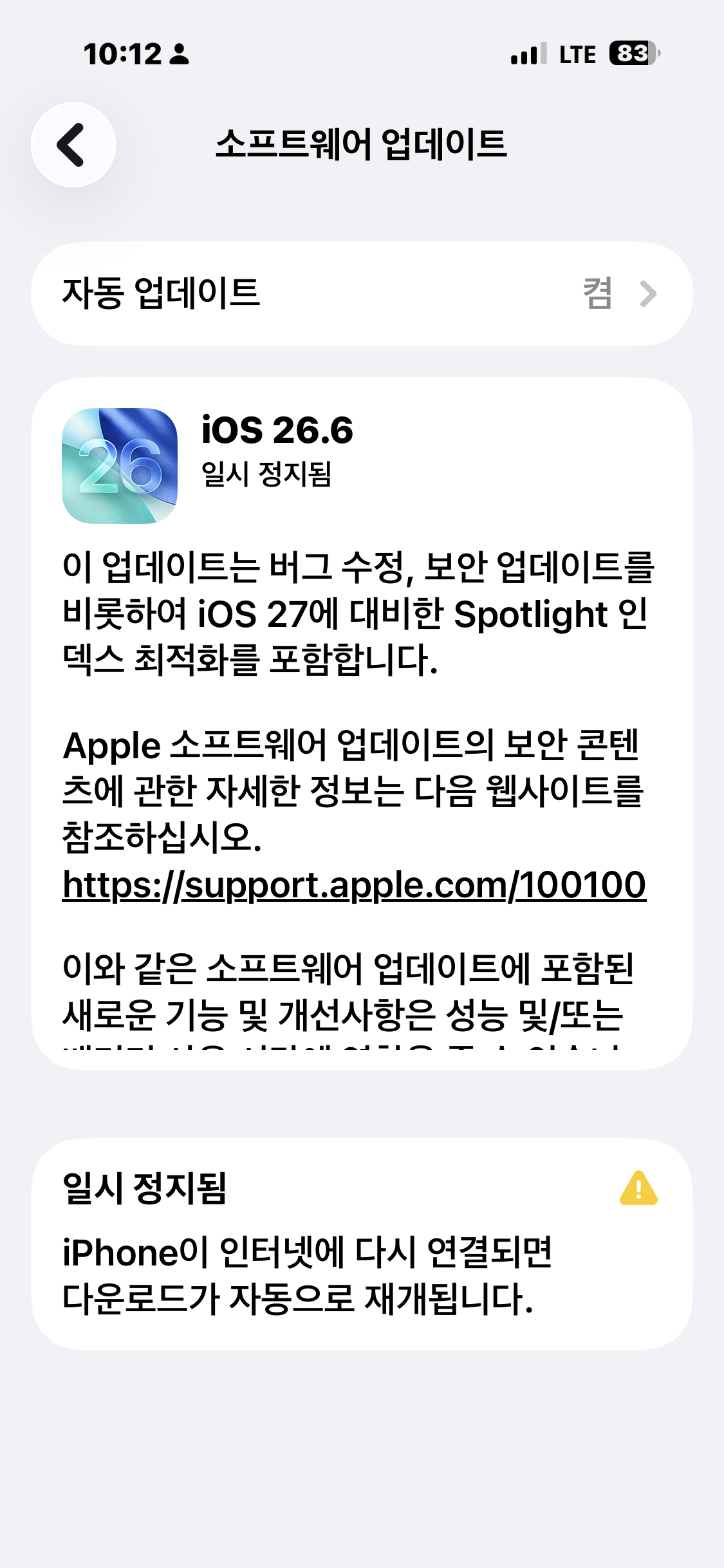
Woke up, checked my phone, and the update was just sitting there paused — turns out my wifi dropped mid-download overnight. Once I got it reconnected, I figured I’d actually dig into what iOS 26.6 changes, since Apple’s release notes are famously vague.
Short version: as of late July 2026, iOS 26.6 doesn’t bring much you’ll actually notice day to day. But it’s not one to skip either. Here’s why.
The Spotlight index thing you won’t see
The most meaningful change in iOS 26.6 happens completely in the background. Apple quietly uses this release to pre-optimize the Spotlight search index on your iPhone. Why does that matter? iOS 27, landing this September, brings a major Spotlight and Siri overhaul, and both features lean heavily on indexing everything stored on your device. Beta testers found that process could take a week or longer on iOS 27 itself. By front-loading some of that work in iOS 26.6, Apple’s basically trying to make your fall upgrade less painful.
Blocked contacts finally get an explanation
iOS has always had a quiet cap on how many contacts you can block, but it never told you when you hit it — the block would just silently fail. iOS 26.6 adds a proper “Blocked Contacts Limit Reached” alert, telling you to remove an existing blocked contact before adding a new one. Small fix, but a genuinely annoying gap that’s finally closed.
Security patches, as usual
Bug fixes and security updates make up the bulk of this release. Apple’s official security content page (support.apple.com/100100) lists the specifics once it’s published, so check there if you want details on what got patched. Honestly, the security fixes alone are reason enough not to put this one off.
An anti-snatching feature is quietly in the works
Developers poking around the iOS 26.6 beta code found references to an anti-snatching security feature — one designed to detect when your unlocked iPhone gets suddenly grabbed and lock it automatically. It’s not active in this release; the code is just sitting there, presumably waiting for a future update to flip it on.
How to actually install it
Go to Settings → General → Software Update. It’s fastest over wifi, and if you’ve got “Download iOS Updates” or overnight auto-update enabled, it’ll usually just handle itself while you sleep. If yours is stuck on “paused” like mine was, reconnecting to wifi is almost always enough to get it moving again.

iOS 26.6, released in late July 2026, is a minor update focused on security patches and pre-optimizing the Spotlight index ahead of iOS 27, rather than new user-facing features.
FAQ
Should I install iOS 26.6 right away?
There’s nothing urgent feature-wise, but it does include security patches, so there’s not much reason to wait. If you’re planning to jump straight to iOS 27 in the fall, installing this now gets some of the Spotlight indexing done ahead of time.
Will this drain my battery faster?
You might see slightly faster battery drain right after updating while background indexing and optimization run. It usually settles back to normal within a day or two.
When is iOS 27 coming out?
It’s currently in developer and public beta, with a public release expected in September.
My update is stuck on “paused” — what do I do?
Almost always a connectivity issue. Reconnect to wifi and the download should resume automatically. If it doesn’t, head to Settings → General → Software Update and retry manually.